

Key Takeaways
Our Verdict
No single protocol wins for every situation. Wi-Fi suits high-data devices already on your home network; Zigbee fits large, low-power sensor networks; Z-Wave excels where interference is a concern; and Thread is positioned as the future-facing foundation for interoperable smart homes. Understanding what each protocol does best helps you build a setup that actually works reliably.
| Best for | Recommended |
|---|---|
| High-bandwidth devices like cameras and video doorbells | Wi-Fi |
| Large networks of low-power sensors and smart bulbs | Zigbee |
| Environments with heavy 2.4 GHz congestion | Z-Wave |
| Future-proof setups built around Matter compatibility | Thread |
Why Smart Devices Don't All Use the Same Wireless Standard
Walk through any hardware store and you'll notice smart home devices advertised with a jumble of logos — Wi-Fi, Zigbee, Z-Wave, Thread. Unlike smartphones or laptops, which almost universally rely on Wi-Fi and Bluetooth, smart home devices are built around a range of wireless protocols, each engineered with different trade-offs in mind.
The core tension is between three competing needs: bandwidth (how much data the connection can carry), power consumption (how much energy the radio uses), and range and reliability (how far and consistently signals travel). A video doorbell needs high bandwidth to stream footage. A door sensor needs almost none — but it should run for years on a small battery. That difference in requirements is why multiple protocols exist, and why understanding them helps you make smarter decisions about your setup. For a broader view of how these protocols fit into the larger ecosystem picture, see how smart home ecosystems work.
Wi-Fi: The Familiar Option With Real Trade-Offs
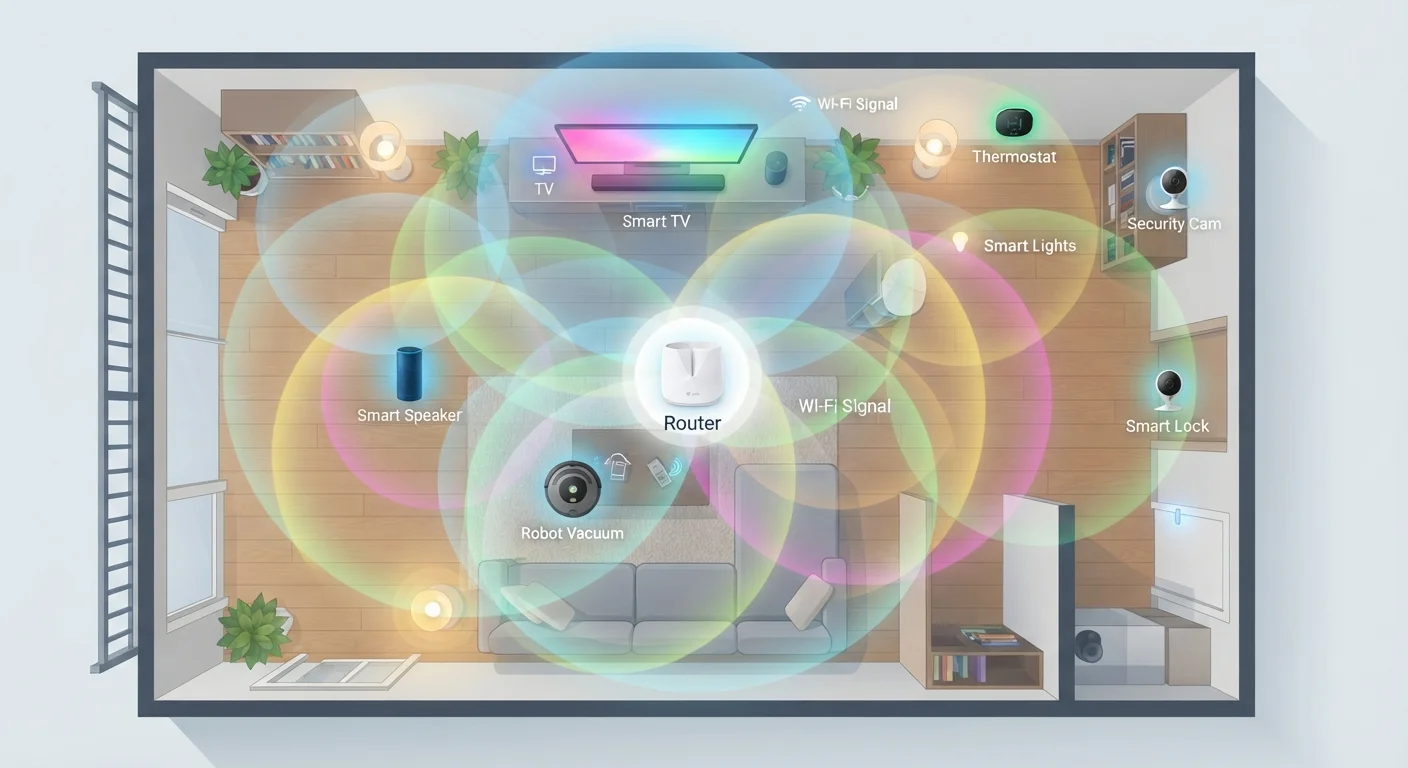
Wi-Fi is the protocol most people already understand — it's the same standard that connects phones and laptops to the internet. Smart devices that use Wi-Fi connect directly to your home router, which means no additional hub is required. That simplicity is genuinely appealing.
The downside is power draw. Wi-Fi radios consume significantly more energy than the alternatives, which is why battery-powered Wi-Fi devices — like certain video doorbells — often need frequent charging or a wired power source. Wi-Fi also adds load to your router; a home with dozens of smart devices can strain older networking hardware.
Wi-Fi operates primarily on the 2.4 GHz and 5 GHz bands. The 2.4 GHz band offers better range but is often congested. To understand why distance and interference affect performance, Wi-Fi signals explained covers the underlying physics in plain terms.
Check Your Router's Device Limit
Many consumer routers comfortably handle 20–30 connected devices, but performance can degrade in larger smart home setups. If you plan to add a significant number of Wi-Fi smart devices, check your router's specifications or consider a mesh Wi-Fi system designed for higher device counts. Keeping smart devices on a separate network segment or VLAN can also reduce congestion and improve security.
Zigbee and Z-Wave: Mesh Networks Built for Low Power
Zigbee and Z-Wave take a fundamentally different approach. Instead of connecting every device directly to a router, they form mesh networks — each powered device in the network can relay signals from others, extending range and improving reliability. If one path is blocked, the network finds another.
Both protocols are designed for low data rates and low power consumption, making them ideal for sensors, smart locks, thermostats, and lighting. A Zigbee contact sensor might run for a year or more on a single AA battery.
Zigbee operates on the 2.4 GHz band (the same as Wi-Fi and many microwaves), which can introduce interference in dense environments. It supports a large number of devices per network and is used by many major smart home platforms.
Z-Wave operates on sub-1 GHz frequencies (around 908 MHz in the US), a band far less crowded than 2.4 GHz. This typically means fewer interference issues. Z-Wave also enforces a certification standard that makes devices from different manufacturers more predictably compatible with each other.
| Wi-Fi | Zigbee | Z-Wave | Thread | |
|---|---|---|---|---|
| Frequency band | 2.4 GHz / 5 GHz | 2.4 GHz | ~908 MHz (US) | 2.4 GHz |
| Network topology | Star (router-centric) | Mesh | Mesh | Mesh (IP-based) |
| Power consumption | High | Low | Low | Very low |
| Hub required | No | Yes (typically) | Yes (typically) | Border router needed |
| Interference risk | Moderate–High | Moderate | Low | Moderate |
| Typical use cases | Cameras, displays | Bulbs, sensors | Locks, sensors | Sensors, future Matter devices |
| Max devices per network | Varies by router | ~65,000 | ~232 | Hundreds (scalable) |
Thread: The Protocol Built for What's Next
Thread is newer and worth understanding because it underpins the Matter standard — a cross-industry smart home protocol backed by Apple, Google, Amazon, and others. Thread is an IP-based mesh networking protocol, meaning devices running Thread each get a real network address and can communicate directly over the internet protocol stack, much like computers on a local network.
Like Zigbee and Z-Wave, Thread is designed for low power consumption and mesh reliability. Unlike them, it doesn't require a proprietary hub — it needs a border router, a device (often a smart speaker or HomePod mini) that bridges the Thread mesh to your regular IP network.
Thread operates on the 2.4 GHz band, but its design prioritizes self-healing mesh behavior and seamless handoff between devices. For a deeper look at how Matter builds on Thread to enable cross-platform compatibility, how Matter is changing smart home compatibility explains the standard in accessible terms.
Choosing the Right Protocol for Your Home
In practice, most smart homes end up using more than one protocol — a Wi-Fi camera alongside Zigbee bulbs and a Z-Wave door lock isn't unusual. Hubs like SmartThings or Home Assistant can bridge multiple protocols, giving you unified control. Energy use is worth factoring in too; understanding device energy consumption can help you evaluate how always-on devices affect your home's power draw.
Security is another layer to keep in mind regardless of protocol. security habits for smart home networks outlines straightforward practices worth building into any setup. If you're still learning the vocabulary, the complete glossary of smart home terms defines concepts like mesh networking and border routers in plain language.
~232
Maximum devices on a single Z-Wave network
Z-Wave's specification caps network size at 232 nodes, a practical ceiling most homes will never approach.
2.4 GHz
Frequency shared by Wi-Fi, Zigbee, and Thread
Three of the four major smart home protocols compete for space on the same radio band, making interference a real design consideration.