

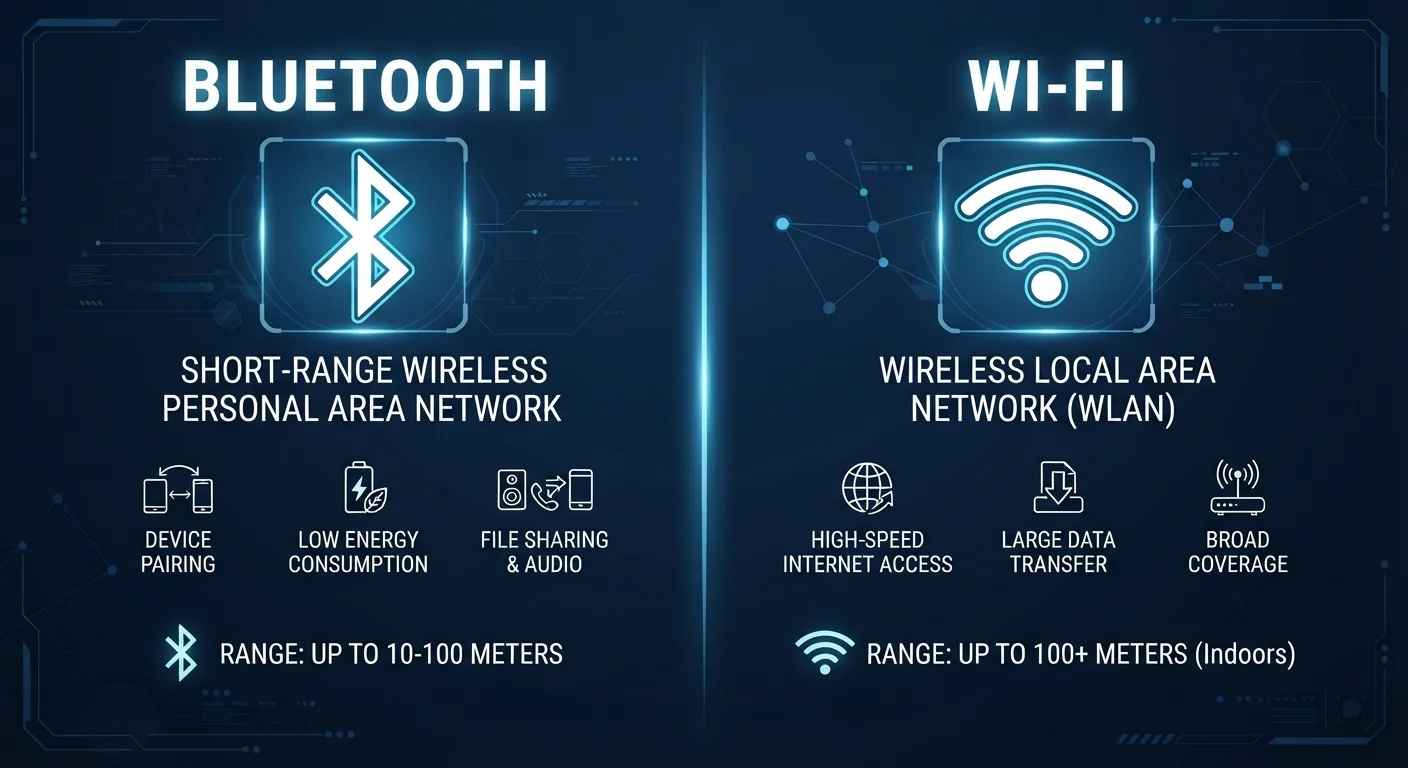
Key Takeaways
Option A
Bluetooth
The short-range, low-power personal connection standard.
Best for: Linking personal devices — headphones, speakers, keyboards, wearables — directly to each other over short distances.
Option B
Wi-Fi
The high-speed, longer-range network access standard.
Best for: Connecting phones, computers, and smart home devices to a router and, through it, to the internet.
If you want to connect wireless headphones or a keyboard to your laptop
Bluetooth
Bluetooth is purpose-built for direct device-to-device pairing at low power — no router or network required.
If you need to stream video or transfer large files reliably
Wi-Fi
Wi-Fi delivers far greater bandwidth and range, making it the right tool for data-intensive tasks.
If you're setting up smart home devices that need constant internet access
Wi-Fi
Smart home hubs and connected appliances depend on a persistent, high-throughput network connection that Wi-Fi provides.
If battery life in a wearable or peripheral device is a priority
Bluetooth
Bluetooth Low Energy (BLE) uses minimal power, which is why fitness trackers and wireless earbuds can last days on a small battery.
The Core Difference: Purpose, Not Just Range
It's easy to assume Bluetooth and Wi-Fi are just two versions of the same thing — one for small distances, one for larger ones. In reality, they were designed with entirely different jobs in mind, and that distinction shapes everything from how they use power to how many devices they can support.
Wi-Fi was built to replace wired Ethernet — its primary goal is giving devices fast, reliable access to a local network and the internet. A Wi-Fi router broadcasts a signal that dozens of devices can join simultaneously, streaming video, transferring files, and loading web pages at speeds that can reach hundreds of megabits per second on modern networks.
Bluetooth, by contrast, was conceived as a cable replacement for personal devices. Rather than connecting to a network, it creates a direct link between two or more nearby devices — your phone and your wireless earbuds, for example, or a laptop and its wireless mouse. That narrow focus allows Bluetooth to operate at very low power, which is why so many small, battery-powered accessories rely on it.
Both technologies transmit data using radio waves, and both commonly use the 2.4 GHz frequency band — which is one reason they can occasionally interfere with each other in crowded wireless environments. But their protocols, power levels, and intended use cases are distinct.
How Each Technology Works
Understanding the basic mechanics helps clarify why each technology excels where it does.
Wi-Fi: Network-Centric by Design
Wi-Fi operates through an access point — usually a router — that acts as the hub of a local network. Devices authenticate with the router, receive an IP address, and can then communicate with the internet or with other devices on the same network. Modern Wi-Fi standards (such as Wi-Fi 6, technically called 802.11ax) support multiple simultaneous device connections with high throughput and improved efficiency in congested environments. For a deeper look at what physically affects Wi-Fi performance, see our guide on Wi-Fi signals.
Bluetooth: Direct Pairing Over Short Range
Bluetooth creates what's called a piconet — a small, temporary network between paired devices. Classic Bluetooth handles audio streaming and file transfers; Bluetooth Low Energy (BLE), introduced with Bluetooth 4.0, dramatically reduced power consumption to support wearables, health sensors, and smart home accessories that run for months on a coin-cell battery. Effective range is typically up to about 30 feet for consumer devices, though newer Bluetooth 5 specifications extended potential range considerably under ideal conditions.
| Criterion | Bluetooth | Wi-Fi |
|---|---|---|
| Primary purpose | Device-to-device pairing | Network and internet access |
| Typical indoor range | Up to ~30 feet | Up to ~150 feet (varies) |
| Power consumption | Very low (especially BLE) | Moderate to high |
| Data throughput | Up to ~3 Mbps (classic) | Hundreds of Mbps (modern) |
| Requires a router | No | Yes |
| Common use cases | Headphones, wearables, keyboards | Streaming, browsing, smart home |
| Common frequency band | 2.4 GHz | 2.4 GHz and 5 GHz |
It's also worth noting that Wi-Fi is the backbone of most smart home ecosystems, though other wireless protocols serve specialized roles too. Zigbee, Z-Wave, and Thread each fill niches that neither Bluetooth nor Wi-Fi covers perfectly.
When Both Technologies Work Together
Many devices today don't choose between Bluetooth and Wi-Fi — they use both, with each handling what it does best. A smartphone uses Wi-Fi to stream music from the cloud and Bluetooth to send that audio to wireless speakers. A smart thermostat might connect to your home Wi-Fi for remote control through an app while also broadcasting BLE signals for proximity detection.
5B+
Bluetooth devices shipped annually
The Bluetooth Special Interest Group has reported annual device shipments exceeding five billion units globally in recent years.
~16B
Wi-Fi enabled devices in use worldwide
According to the Wi-Fi Alliance, there are estimated to be billions of Wi-Fi enabled devices active globally, reflecting its role as the dominant home networking standard.
This complementary relationship extends to security considerations as well. Wi-Fi, because it carries more sensitive traffic and connects to the broader internet, benefits from stronger encryption and network-level protections. If you use networks outside the home, it's worth understanding the actual risk profile involved — public Wi-Fi risks are often misunderstood.
Bluetooth's shorter range inherently limits some attack vectors, though it is not without its own security considerations — pairing protocols and firmware updates matter for both standards.
In short, Bluetooth and Wi-Fi aren't competing technologies — they're complementary ones. Choosing between them isn't usually a decision you need to make consciously; your devices make it for you based on what a task requires. Understanding that logic helps you troubleshoot problems, manage battery life more effectively, and make more informed decisions when buying connected devices.
2.4 GHz Interference Is Real
Because both Bluetooth and the 2.4 GHz Wi-Fi band share the same slice of radio spectrum, using many Bluetooth devices near a 2.4 GHz router can occasionally cause interference — slower Wi-Fi or audio dropouts. Modern devices use frequency-hopping and other techniques to minimize this, but if you notice issues, switching your router to the 5 GHz band (where Bluetooth does not operate) often resolves the conflict.