

| Common HD Resolution | 1920 × 1080 pixels (Full HD / 1080p) |
| Standard TV Refresh Rate | 60 Hz; many modern TVs support 120 Hz |
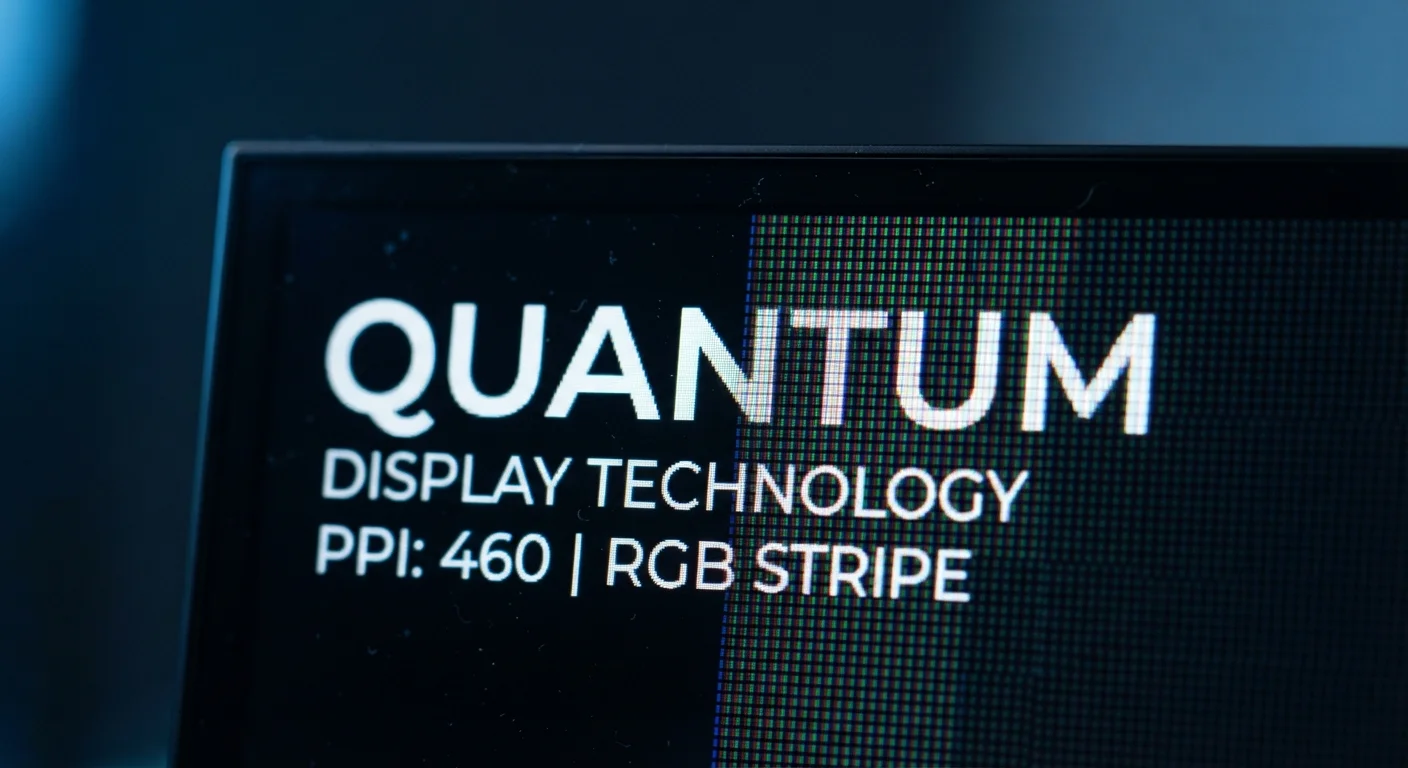
| Typical Flagship Phone PPI | 400–500 PPI |
| 4K Resolution | 3840 × 2160 pixels (~8.3 million total pixels) |
| Perceived Sharpness Threshold | ~300 PPI at arm's length for most adults (Varies by individual eyesight and viewing distance) |
| Ultrawide Aspect Ratio | 21:9, used in ultrawide monitors and some cinema-format phones |
Why Display Specs Seem Complicated
Shopping for a phone, monitor, or TV means wading through a wall of numbers: 4K, 144 Hz, 500 nits, 98% DCI-P3. Each term describes a different aspect of how a screen creates and delivers an image — and manufacturers rarely explain what any of it means in everyday use.
This glossary breaks each concept down plainly, so you understand what you're actually evaluating. For a related look at what's happening beneath your phone's glass, see how smartphone touch screens work.
| Common HD Resolution | 1920 × 1080 pixels (Full HD / 1080p) |
| Standard TV Refresh Rate | 60 Hz; many modern TVs support 120 Hz |
| Typical Flagship Phone PPI | 400–500 PPI |
| 4K Resolution | 3840 × 2160 pixels (~8.3 million total pixels) |
| Perceived Sharpness Threshold | ~300 PPI at arm's length for most adults (Varies by individual eyesight and viewing distance) |
| Ultrawide Aspect Ratio | 21:9, used in ultrawide monitors and some cinema-format phones |
The Three Core Terms
Three specs appear on nearly every display listing. Understanding them is the foundation for reading anything else on a product page.
Resolution
Resolution tells you how many pixels the display contains — for example, 1920 columns by 1080 rows equals 1080p. More pixels allow finer detail, but only matter if the content being displayed also contains that level of detail. Streaming a standard-definition video on a 4K screen won't produce a 4K picture; the display simply scales up the existing image.
Refresh Rate
Refresh rate describes how often the screen redraws its image each second. At 60 Hz this happens 60 times per second — adequate for most video. At 120 Hz or higher, motion in games, sports, and even everyday phone scrolling appears significantly smoother. The benefit depends on both the display and the device driving it; a high-refresh screen connected to hardware that outputs only 60 frames per second gains little advantage.
Pixel Density
Pixel density combines resolution and physical screen size into a single figure — pixels per inch (PPI). A compact screen with modest resolution can appear sharper than a large screen with higher resolution, because its pixels are packed more tightly. Most adults stop distinguishing individual pixels at around 300 PPI at a typical arm's-length viewing distance, though this varies by eyesight.
Resolution vs. Sharpness: Not the Same Thing
A high resolution number on a spec sheet doesn't automatically produce a sharper-looking image. Screen size matters enormously: 4K resolution spread across a 75-inch TV looks less sharp per inch than the same resolution on a 27-inch monitor. That's why pixel density (PPI) is a more useful real-world measure of perceived sharpness than raw resolution alone.
Secondary Specs and What They Mean
Beyond the core three, several additional terms shape real-world image quality. The glossary below covers the ones you're most likely to encounter.
Screen Resolution
The total number of pixels arranged horizontally and vertically on a display, expressed as width × height (e.g., 1920×1080). Higher resolution means more pixels are available to render detail, producing a sharper image.
Refresh Rate
How many times per second a display redraws its image, measured in hertz (Hz). A 120 Hz screen refreshes twice as often as a 60 Hz screen, producing noticeably smoother motion during scrolling or gaming.
Pixel Density (PPI)
The number of pixels packed into each inch of screen, stated as pixels per inch (PPI). Higher PPI means individual pixels are smaller and invisible to the naked eye at normal viewing distances.
Aspect Ratio
The proportional relationship between a screen's width and height, written as two numbers (e.g., 16:9). It determines the shape of the display and affects how content fills the frame.
HDR (High Dynamic Range)
A display standard that extends the range between the darkest blacks and brightest whites a screen can show simultaneously. HDR content appears more lifelike because highlights and shadows retain more visible detail.
Color Gamut
The full range of colors a display can reproduce, often expressed as a percentage of a reference standard such as sRGB or DCI-P3. A wider gamut means more saturated, vivid colors are possible.
Response Time
How quickly an individual pixel can change from one color to another, measured in milliseconds (ms). Lower response times reduce motion blur and ghosting, most noticeable during fast-action video or gaming.
Nits (Brightness)
A unit measuring how much light a screen outputs, formally called candelas per square meter. More nits make a display easier to read in direct sunlight or brightly lit rooms.
Color gamut and HDR matter most when watching films or editing photos, since they determine how faithfully a screen reproduces the colors the creator intended. Brightness in nits becomes critical outdoors — a display rated at 1,000 nits or more is far more usable in direct sunlight than one rated at 400. Response time is primarily relevant for gamers; viewers watching standard video are unlikely to notice the difference between a 5 ms and a 1 ms panel.
If camera performance interests you alongside display quality, how smartphone cameras capture light explains equally misunderstood specs like aperture and sensor size.
Applying This in Practice
When evaluating any display, match the specs to your actual use case and viewing distance. A 55-inch 4K TV watched from eight feet away delivers similar perceived sharpness to a 1080p screen at shorter distances — the resolution advantage narrows with distance. For a desk monitor used at arm's length, higher PPI pays a more visible dividend.
Prioritize refresh rate if you game, watch live sports, or want fluid scrolling on a phone. For general browsing and streaming, 60 Hz is often sufficient. HDR support is valuable mainly if your content and streaming service both support it — otherwise the spec goes unused.
4×
More pixels in 4K vs. Full HD
A 4K display (3840×2160) contains approximately four times the total pixel count of a 1080p Full HD screen.
120 Hz
Refresh rate now common in smartphones
High-refresh-rate panels have moved from gaming monitors into mainstream phones, making everyday scrolling noticeably smoother.
1 ms
Response time on competitive gaming monitors
Many gaming-focused displays advertise response times as low as 1 ms, designed to minimize visible motion blur at high frame rates.
Plain-language glossaries help across many tech categories. If smart home devices interest you, the complete glossary of smart home terms applies the same approach to connected-home jargon.