

Key Takeaways
Option A
Local Processing Smart Devices
The self-contained, offline-capable approach.
Best for: Households that prioritize speed, reliability, and privacy without depending on a continuous internet connection.
Option B
Cloud-Dependent Smart Devices
The connected, feature-rich mainstream choice.
Best for: Users who want easy setup, regular feature updates, and access to powerful remote services from anywhere.
If your internet connection is unreliable or you experience frequent outages
Local Processing Smart Devices
Local devices keep working when your broadband drops, ensuring lights, locks, and thermostats respond no matter what.
If you want rich voice-assistant integration and remote access from anywhere
Cloud-Dependent Smart Devices
Cloud infrastructure powers the complex natural-language processing and cross-device coordination that most voice assistants rely on.
If data privacy and minimizing what leaves your home network matter most to you
Local Processing Smart Devices
Local devices process commands without sending a data stream to external servers, limiting exposure of your usage patterns.
If you want simple setup and ongoing feature improvements without managing your own hardware
Cloud-Dependent Smart Devices
Manufacturers push updates and new capabilities through the cloud automatically, requiring minimal effort from the user.
If you're building a larger, mixed smart home ecosystem
Local Processing Smart Devices
Platforms like Home Assistant or Matter-compatible hubs allow local control across many device brands without relying on any single company's servers.
How Each Approach Actually Works
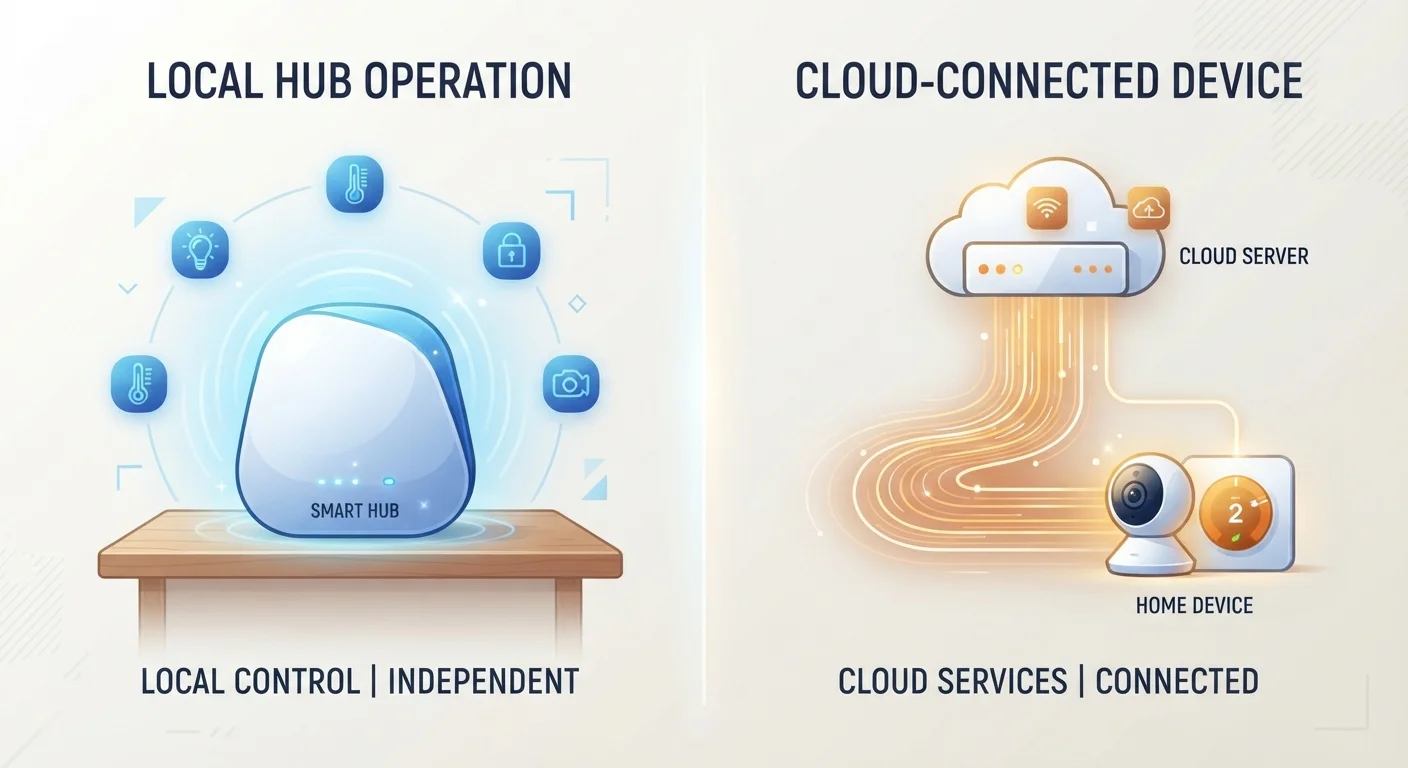
When you tap a button in a smart home app or speak a command, something has to process that instruction — figure out what it means and tell the right device what to do. Where that processing happens is the core difference between these two device types.
Local processing means the computation happens on a device inside your home — either the smart device itself, a dedicated hub, or a local server on your network. No internet connection is required. A locally processed command from your phone to your smart light typically completes in well under a second.
Cloud-dependent processing means the command leaves your home, travels to a manufacturer's remote server, gets interpreted there, and a response is sent back. This round trip adds latency (a brief delay) and introduces dependency on several things outside your control: your internet connection, your router, and the manufacturer's server uptime.
To understand how these devices communicate within a broader ecosystem, see how smart home ecosystems work. For definitions of terms like "hub," "latency," and "Matter protocol," the smart home glossary is a useful reference.
| Criterion | Local Processing | Cloud-Dependent |
|---|---|---|
| Works without internet | Yes, fully functional | Limited or none |
| Response speed | Near-instant (milliseconds) | Slight delay (round trip) |
| Data privacy | Stays on local network | Sent to external servers |
| Setup complexity | Moderate to high | Generally simple |
| Feature updates | Manual or self-managed | Automatic via cloud |
| Remote access | Requires extra config | Built in by default |
| Server dependency | None for core functions | High — outages affect use |
Reliability, Speed, and What Happens When the Internet Goes Down
This is where the practical difference becomes most visible. A cloud-dependent smart lock that can't reach its server during an outage may become unresponsive through the app — even though the lock itself is physically connected to power. Some manufacturers build in limited offline fallback behavior, but it varies widely by product.
Local processing devices don't have this vulnerability. A hub running automation rules locally will still turn your porch lights on at sunset, trigger your thermostat schedule, and respond to motion sensors — all without an active internet connection. Speed is also noticeably better: commands processed locally avoid the network round trip entirely.
~1 sec
Typical cloud command round-trip delay
Network latency for cloud-processed smart home commands varies by server load, connection speed, and geographic distance to the server.
99.9%
Typical uptime target for major cloud platforms
Major cloud infrastructure providers typically target 99.9% uptime, which still equates to roughly 8–9 hours of potential downtime per year.
50%+
Smart homes using hybrid local/cloud devices
Industry analysts broadly note that most consumer smart home deployments now mix cloud-dependent and locally capable devices rather than relying exclusively on one model.
That said, cloud-dependent devices aren't unreliable by definition. Most major platforms maintain high server uptime, and for households with stable broadband, outages are infrequent enough that cloud dependency is a minor concern. If your connection is less stable, local processing becomes more compelling. Learn more about what causes smart devices to drop off your network in our guide on why smart devices lose connection.
Privacy and Data: What Leaves Your Home
Every cloud-connected device sends some data to external servers. That data might include command history, usage patterns, device states, and sometimes audio snippets (in the case of voice-activated devices). Manufacturers publish privacy policies that describe what's collected, but the details vary and aren't always easy to read.
Local processing devices, by design, handle commands without transmitting them off your network. This doesn't mean they're entirely private — many still require a cloud account for initial setup or remote access — but day-to-day operational data typically stays on your local network.
For voice-activated devices specifically, the privacy picture is more nuanced. How smart speakers handle your voice depends on a combination of local wake-word detection and cloud query processing. For anyone interested in limiting what leaves their home, pairing local-processing devices with good network hygiene is a reasonable approach — see security habits for smart home networks.
The Hybrid Reality of Most Smart Homes
Very few households run purely local or purely cloud-based setups. Most smart homes contain a mix — some devices that work offline and others that don't. When evaluating a new device, checking whether it supports local control (often listed in product specifications or community forums) is a useful step, especially for critical devices like locks, alarms, or thermostats.
Features, Updates, and the Hybrid Middle Ground
Cloud-dependent devices have a genuine advantage when it comes to features. Manufacturers can push software updates, add new capabilities, and improve integrations without any action from the user. Complex features — like AI-driven routines, voice-recognition improvements, or cross-platform automation — typically require cloud infrastructure to function at all.
Local-processing platforms, particularly open-source options, require more hands-on management. Users may need to apply updates manually and configure automations themselves. The tradeoff is greater control and independence from any single company's product decisions or server availability.
Most devices today fall somewhere in between. A smart thermostat might process its core schedule locally while syncing usage data to the cloud for energy reporting. A security camera might buffer footage locally but use cloud servers for object-recognition analysis. This hybrid model attempts to capture the best of both — though it also inherits some limitations of each. Understanding the cloud vs. local storage trade-off can help frame these decisions more broadly, since the same principles apply to where your device data ultimately lives.