

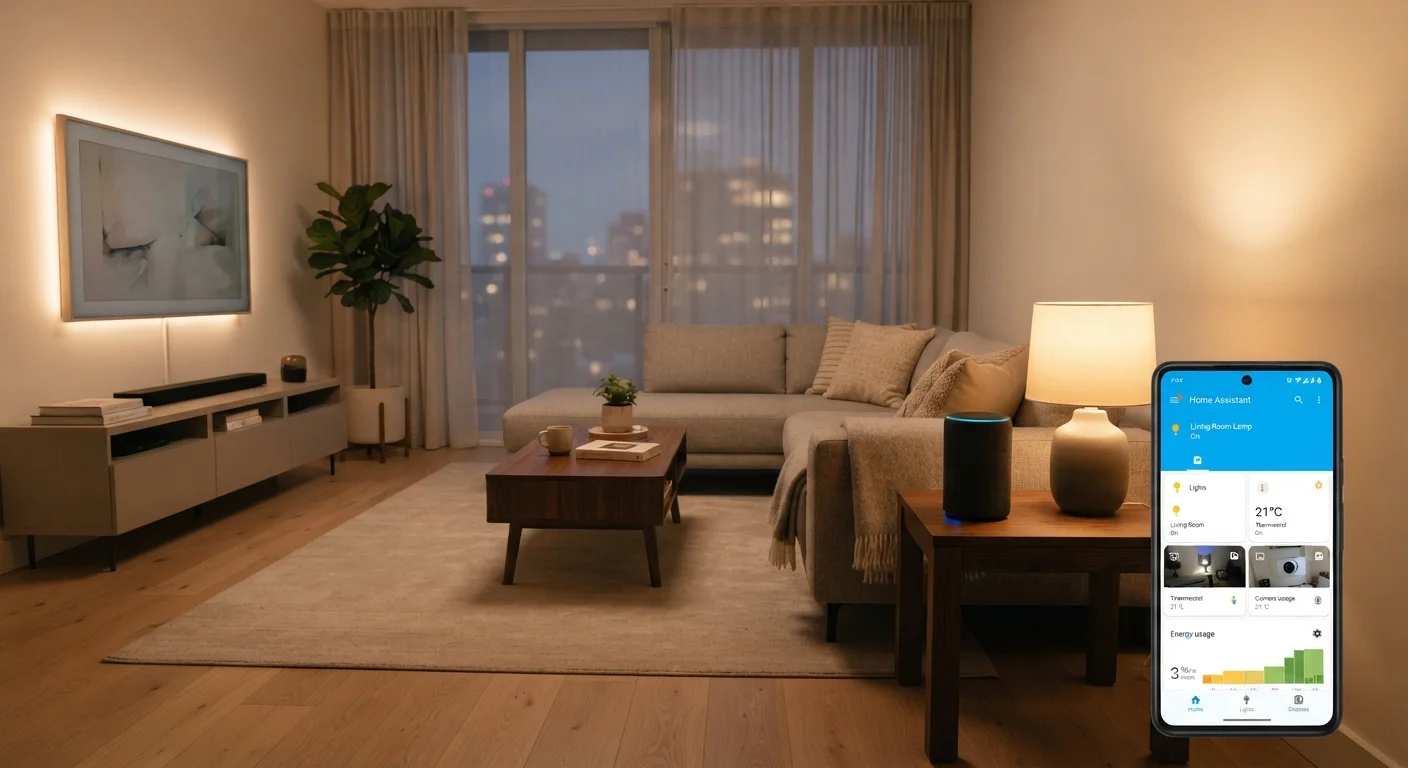
Key Takeaways
Option A
Voice Assistants
The hands-free, conversational control layer.
Best for: Quick, on-the-fly commands when your hands are full or you're across the room.
Option B
Dedicated Smart Home Apps
The precise, visual command center for your home.
Best for: Managing complex automations, schedules, and device settings with granular control.
If you want effortless, hands-free everyday control
Voice Assistants
Saying 'turn off the lights' while cooking or carrying groceries is genuinely faster than unlocking a phone and tapping through menus.
If you need to build or fine-tune automation routines
Dedicated Smart Home Apps
Apps let you set precise schedules, conditions, and device groupings that voice commands simply cannot configure on their own.
If you're new to smart home technology
Dedicated Smart Home Apps
Visual interfaces make it easier to understand what each device does and confirm that your commands actually worked.
If multiple household members share control of the home
Voice Assistants
Anyone in the room can issue a voice command without needing to find, unlock, or share a phone.
What Each Approach Actually Does
Voice assistants — such as those built into smart speakers or displays — let you control connected devices by speaking natural-language commands. Ask your assistant to dim the lights, lock the front door, or raise the thermostat, and the command is processed (often through a cloud server) and sent to the relevant device. For a closer look at how devices communicate behind the scenes, see our Smart Home Ecosystems Explained guide.
Dedicated smart home apps — like those made by device manufacturers or platform providers — give you a touchscreen interface to view, control, and configure every connected device. You can see a live status dashboard, create scheduled automations, group devices into rooms, and adjust settings that voice commands can't reach. These apps typically require a smartphone or tablet but don't need you to speak aloud.
Both methods send instructions to the same underlying devices; what differs is the input method, the depth of control available, and the experience for the person using them.
Side-by-Side: Key Differences
The table below compares voice assistants and dedicated apps across the criteria that matter most for everyday home management.
| Criterion | Voice Assistants | Dedicated Smart Home Apps |
|---|---|---|
| Primary input method | Spoken natural language | Touchscreen taps and menus |
| Hands-free use | Yes — fully hands-free | No — requires a device |
| Automation setup | Limited; relies on app for config | Full scheduling and condition logic |
| Device status visibility | Audio feedback only | Visual dashboard with live status |
| Ease for new users | Intuitive for simple commands | Visual cues aid understanding |
| Privacy considerations | Always-on microphone involved | No ambient listening required |
| Multi-device commands | Strong with pre-set routines | Strong with granular grouping |
One point worth highlighting: apps consistently outperform voice when precision matters. Telling an assistant to "set the living room to 68 degrees" works fine, but building a routine that adjusts temperature based on time of day and whether anyone is home requires an app interface. Our guide on setting up automation routines walks through exactly that kind of configuration.
Where Voice Assistants Pull Ahead
The clearest advantage of voice control is speed in common situations. When your hands are occupied — cooking, cleaning, or walking through the door with bags — speaking a command is faster than any app interaction. Voice also lowers the barrier for household members who aren't comfortable with smartphone apps, including children and older adults who may find spoken commands more intuitive.
Voice assistants also handle multi-device commands naturally. "Goodnight" routines that simultaneously turn off lights, lock doors, and lower the thermostat can be triggered with a single phrase once configured. That setup, however, still happens inside an app.
~35%
US adults owning a smart speaker
Pew Research Center surveys have consistently found roughly a third of US adults report owning a smart speaker, reflecting widespread voice assistant adoption in homes.
3–5 sec
Typical voice command response time
Under normal Wi-Fi conditions, most voice assistants process and execute a simple device command in approximately three to five seconds from wake word to action.
It's worth understanding what your assistant is actually doing when it processes a command. Our explainer on what your smart speaker does when it listens covers how wake words and cloud processing work together.
Where Apps Offer More Control
Dedicated apps shine whenever you need to see rather than just act. A dashboard showing which lights are on, what temperature each room is set to, and whether the garage door is open gives you situational awareness that voice cannot replicate. Feedback from a voice assistant — "the front door is unlocked" — tells you one thing; an app shows you everything at once.
Apps are also the only practical way to configure most smart home features: setting schedules, creating location-based automations (lights on when you arrive home), adjusting device sensitivity, or managing user permissions. If you're planning your first connected home, our guide to starting your first smart home explains why the app experience often shapes which devices are worth choosing in the first place.
Most Setups Use Both Methods
Voice assistants and dedicated apps aren't competing choices — they're complementary layers. The app is where you configure, schedule, and monitor; the voice assistant is where you act quickly day to day. Choosing one doesn't mean giving up the other, and most smart home platforms are designed to support both simultaneously.
Privacy is another dimension where the two approaches differ. Always-on microphones in voice assistants raise questions that app-only control avoids entirely. For a grounded look at what's actually recorded and what isn't, see our piece on smart home privacy misconceptions.